
Download Game Speed Adjuster – game speed adjuster, game speed control, game performance, gaming utility, game optimization, game speed tweak, game speed tool
Overview
Game Speed Adjuster is a lightweight utility designed to help gamers optimize their in-game performance, particularly on systems with limited processing power. The app enables users to fine-tune the execution speed of games and specific applications, offering a practical solution to lag, stuttering, and slowdowns that often plague lower-end hardware. By allowing real-time speed adjustments, it helps maintain smoother gameplay and improves responsiveness during intense sessions. The primary purpose of the tool is to enhance the gaming experience by dynamically managing how quickly games run, making it especially valuable for users who cannot rely on high-end graphics cards or CPUs.
Target users include casual and competitive gamers using older or budget-friendly machines, as well as those running resource-intensive titles on systems with modest specifications. The app also serves as a helpful utility for users who want to reduce input delay or simulate slower gameplay for strategic purposes. While the developer, GameSpeedTools, has not provided additional background on their history or other products, the app’s long-standing presence since its release on August 23, 2006, suggests a niche but enduring utility in the gaming community. Its role in the broader app ecosystem lies in filling a gap for low-overhead performance tuning tools that don’t require complex setup or system-level access.
Key Features & Functionality
- Speed Adjustment: Users can modify the execution speed of games and applications in real time, allowing for smoother performance on underpowered systems. This feature is particularly useful when a game runs too fast or stutters due to frame rate inconsistencies.
- Resource Management: The tool enables users to prioritize system resources for the active game, reducing interference from background applications. This helps maintain consistent frame rates and minimizes interruptions during gameplay.
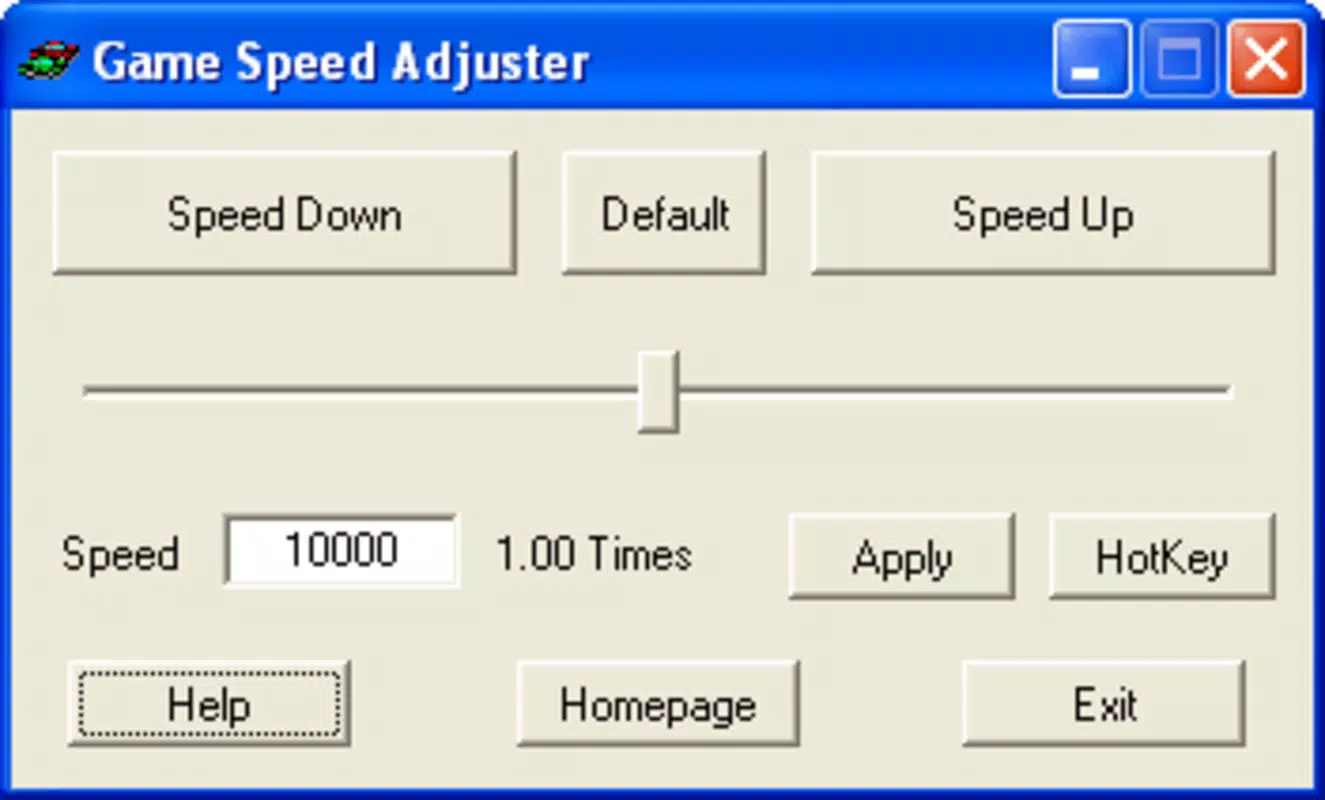
- User-Friendly Interface: Designed with simplicity in mind, the interface offers straightforward controls and clear visual feedback, making it accessible to users of all technical skill levels.
- Compatibility: Game Speed Adjuster supports a wide range of games and certain Windows applications, offering versatility across different gaming titles and use cases.
- Lightweight Design: At just 1.2 MB, the tool consumes minimal system resources, ensuring it doesn’t add load to already strained hardware.
For example, a user playing an older RPG on a 2010-era laptop might use the speed adjustment feature to slow down the game slightly, preventing rapid movement that could hinder navigation. Similarly, someone running multiple applications while gaming can use the resource prioritization to ensure the game receives maximum CPU and memory allocation, reducing lag during critical moments.
Interface, UX & Performance
The user interface of Game Speed Adjuster is described as clean and minimalistic, with intuitive layout and direct access to core functions. Navigation is straightforward, relying on a single window with clearly labeled controls for speed adjustment and resource allocation. The design avoids clutter, focusing on essential tools without overwhelming users with unnecessary options. This approach enhances usability, especially for those unfamiliar with performance tuning utilities.
Although the developer did not list formal performance metrics, the app’s lightweight nature suggests it operates efficiently on a range of Windows devices. It is expected to respond quickly to user input, with minimal delay between adjustments and visual feedback. Stability appears consistent, given its long-term availability and minimal system footprint. The app does not appear to cause crashes or conflicts with other software, though specific testing on different hardware configurations was not disclosed. Users can expect smooth operation across various device categories, from older desktops to modern laptops, provided they meet basic OS requirements.
Platform Compatibility & Technical Requirements
Game Speed Adjuster is designed for the Windows platform and supports Windows operating systems. The current version is 1.2.3, with a file size of 1.2 MB. The developer did not specify minimum OS requirements or hardware prerequisites.
Compatibility information was not fully disclosed, so users should exercise caution when installing on newer or older Windows versions. The app’s small size indicates it is not resource-intensive, which may improve its chances of running on legacy systems. However, the absence of explicit compatibility details means users should verify functionality on their specific setup before relying on it for critical gameplay sessions.
Pros and Cons
Pros
- Lightweight design with minimal system impact
- Simple, intuitive interface suitable for all skill levels
- Real-time speed adjustment for improved gameplay
- Resource prioritization helps reduce lag during gaming
- Free to download and use with no hidden costs
Cons
- Developer did not provide detailed system requirements
- Compatibility with newer Windows versions is not confirmed
- Limited information on supported game titles
- No official updates or changelog available
- Not available on mobile platforms
FAQ
Is Game Speed Adjuster safe to download and use?
Yes, the app is free and has been available since 2006. Its lightweight nature and lack of complex permissions suggest it poses minimal security risk. However, users should always download from trusted sources.
Can I use Game Speed Adjuster on older Windows systems?
Given its small size and long history, it may run on older Windows versions. However, the developer did not specify compatibility details, so users should test it on their system before relying on it.
Does Game Speed Adjuster work on mobile devices?
No, the app is designed exclusively for Windows and is not available on Android or iOS platforms.
How do I install Game Speed Adjuster?
Download the executable file, run it, and follow the on-screen instructions. No installation wizard is required, as it operates as a portable tool.
Are there regular updates for Game Speed Adjuster?
There is no public update history or changelog available. The current version is 1.2.3, but the frequency and nature of future updates are unknown.
Final Thoughts
Game Speed Adjuster remains a niche but functional tool for gamers facing performance limitations on older or low-spec hardware. Its ability to adjust game speed and manage system resources offers tangible benefits for users who need a lightweight, no-frills solution. While it lacks modern polish and comprehensive documentation, its simplicity and zero cost make it a compelling option for those seeking basic performance optimization. The app is particularly well-suited for retro gaming enthusiasts, budget gamers, and users with legacy systems who want to extend the usability of their hardware. Despite its age, it continues to serve a specific need in the gaming utility space.
Download Game Speed Adjuster now


